ID Bridge: Unhoused Services Design
UCSC x Google Designathon 2025
2025
🏆 Overall Winner
Won overall competition against 11 competing teams. Recognized for balancing rapid AI-assisted methodology with genuine empathy for underrepresented users.
The Problem: Hidden Eligibility, No Roadmap
Unhoused individuals have documents scattered across agencies they don't control. But here's the deeper issue: even when they gather documents, they don't know which services they're eligible for right now, or what documents they need next. There's no unified place to manage their documents, no visibility into opportunities, and no clear roadmap to reach goals like getting ID or transitioning to housing. Existing systems are agency-focused, not user-focused.
Key Research Findings
Documents = Access (But Users Don't Know It)
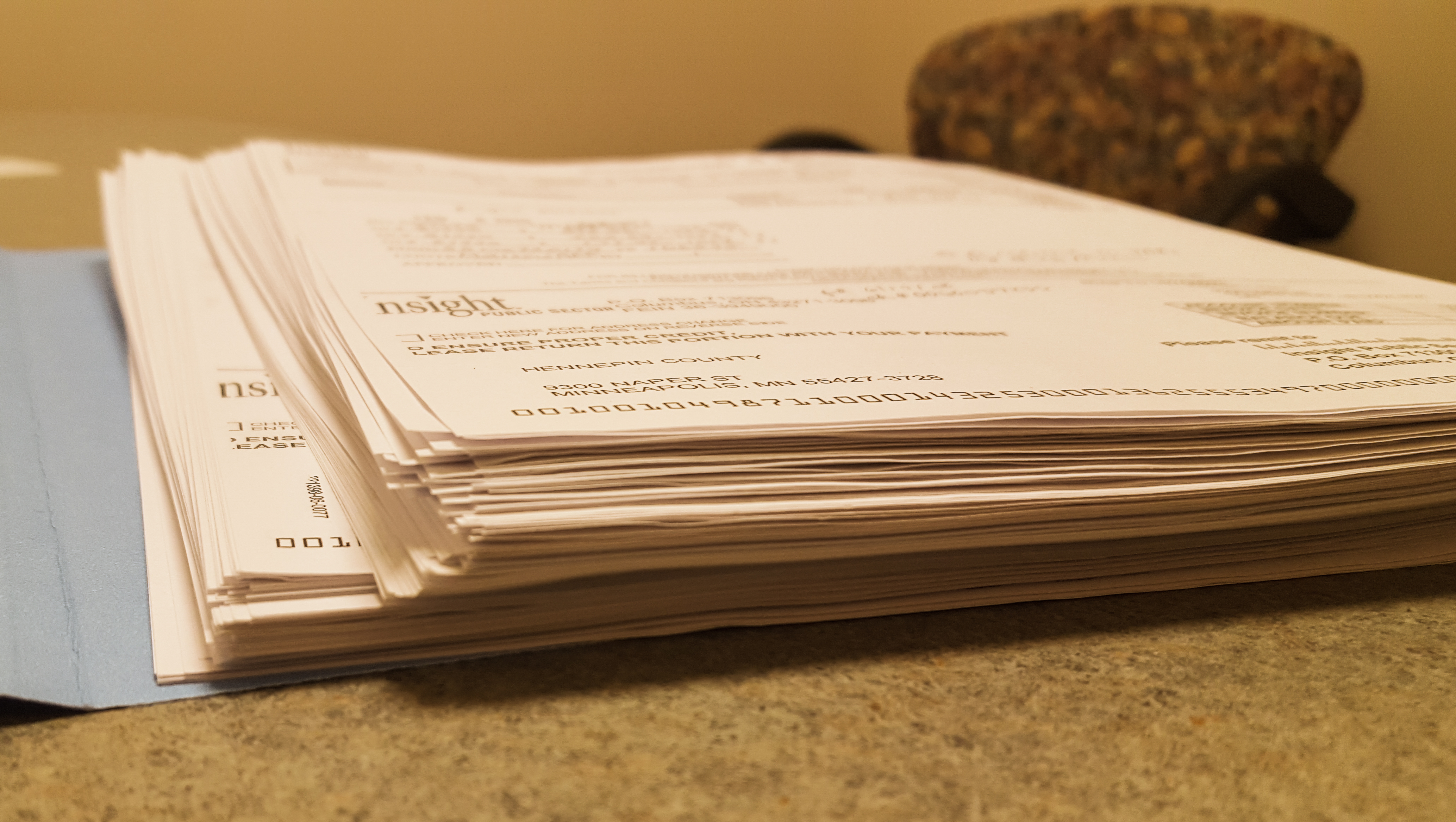
Over 53% of unhoused individuals lack ID documents. But the real problem: they don't know which services accept which documents, or what documents unlock which opportunities.
No Unified Place to Manage Documents
Data exists in fragmented agency systems, but users can't see it or control it. Users need one central place to organize their documents and understand their real-time eligibility.
No Clear Roadmap Forward
Users don't know: What am I eligible for RIGHT NOW? What documents do I need next? What's my path to long-term housing? They navigate blind.
Accessibility Determines Adoption
Two-factor authentication, complex interfaces, and friction destroy trust. Users need high contrast, minimal taps, plain language, offline access—accessibility is not optional.
The Core Innovation: Document-Based Eligibility & Roadmapping
A unified platform that matches users' current documents to available services and opportunities, then shows them the roadmap to reach their goals.
How it works:
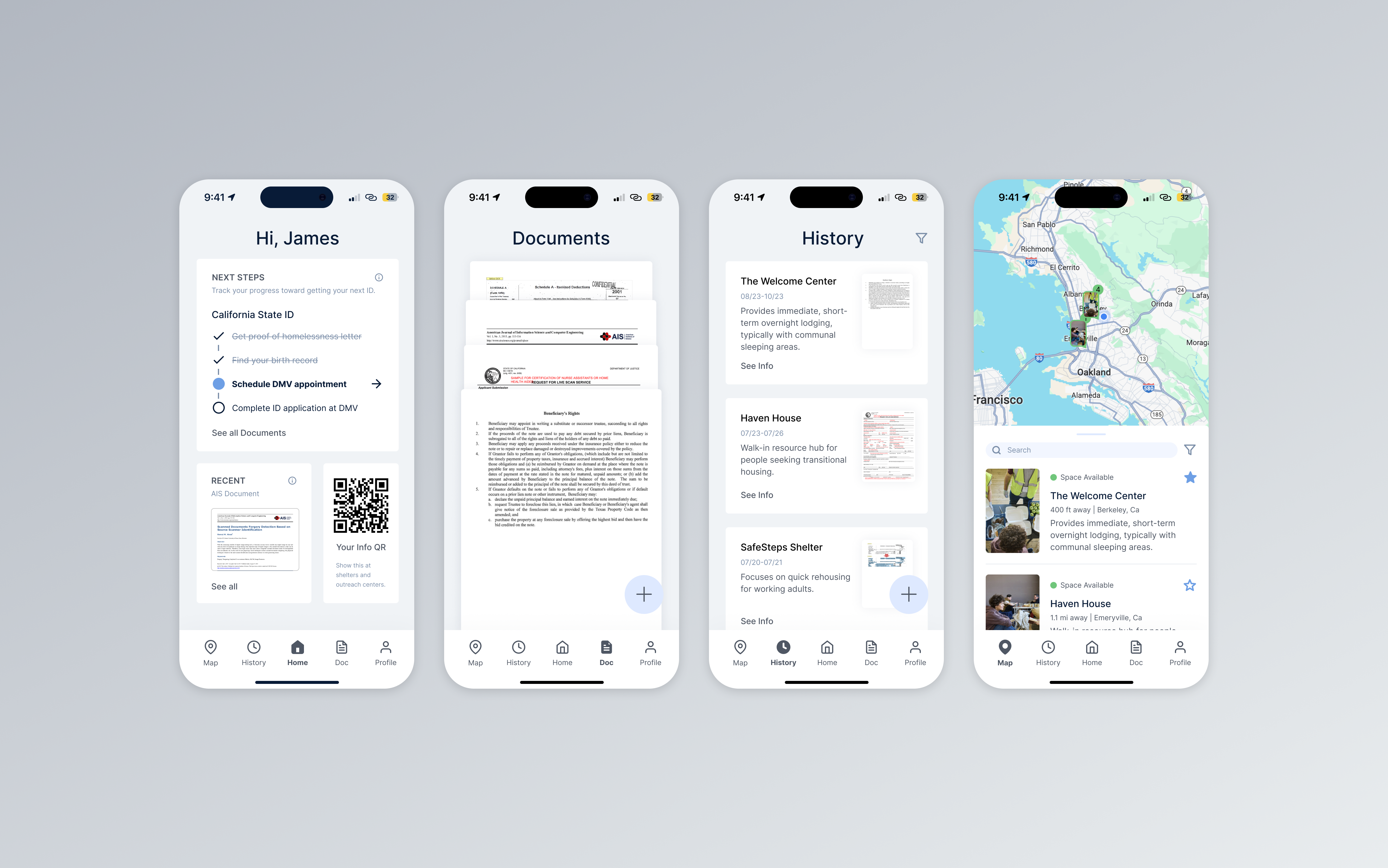
1. Upload & Organize Documents: One central place to store all documents (ID, proof of homelessness, birth certificate, etc.). Users control what they upload and who can see it.
2. Instant Eligibility: The system matches your documents against service requirements. See exactly what you're eligible for RIGHT NOW based on what you have.
3. Services That Accept Your Docs: Real-time map showing which shelters, programs, and resources will accept your current documents. No cold calls, no rejections. One-tap directions.
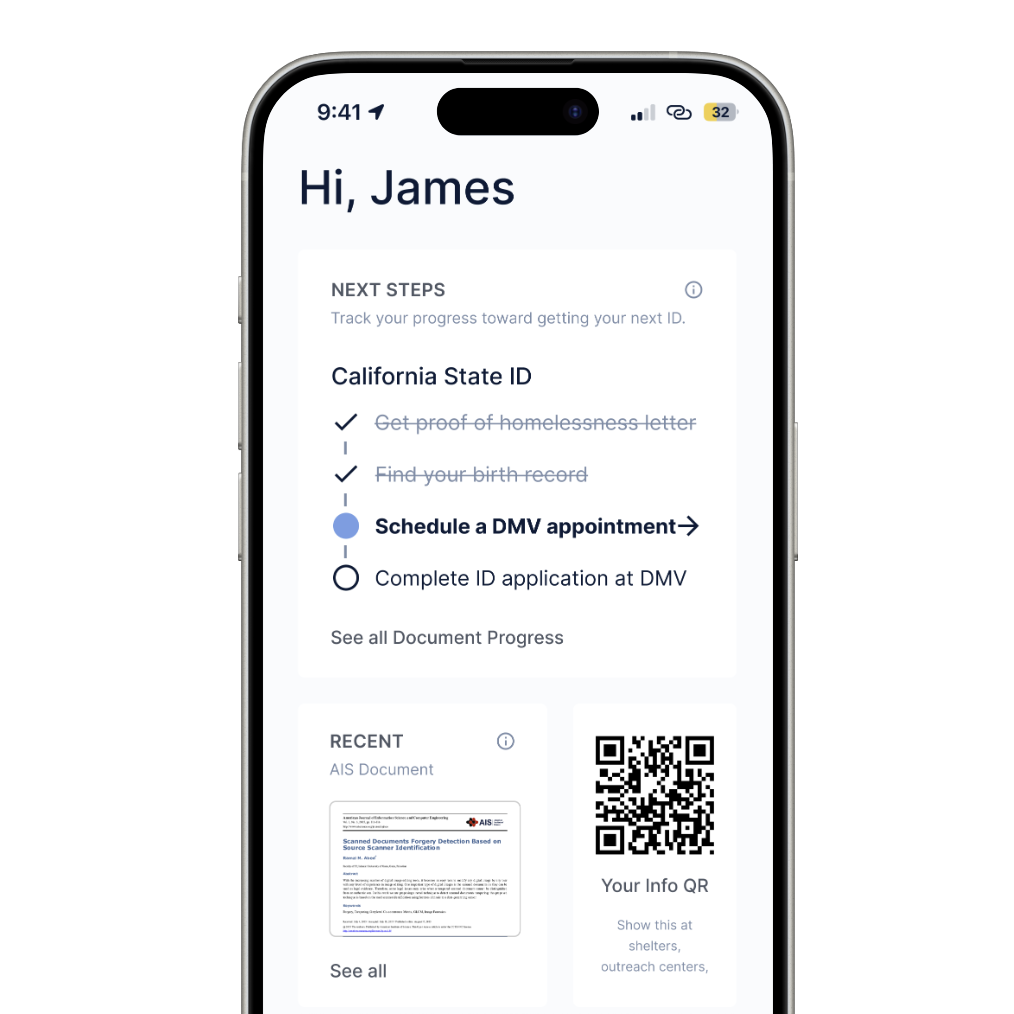
4. Goal-Based Roadmap: Want to get a California State ID? The app shows you: what documents you need, which services will help you get them, exact next steps, and which services open up when you complete each step.
5. Progress Tracking: See your journey toward specific goals. "3 of 5 steps to California ID completed. Next: Schedule DMV appointment. Unlocks: [list of long-term housing programs you'll qualify for]."
6. Offline Identity: Generate a QR code with your verified documents. Show it at shelters or service appointments. No re-entry barriers, no lost paperwork.
The Prototype: Accessibility in Action
High-contrast interface with large touch targets and minimal friction. Dashboard shows progress tracking with real-time service availability map. Every interaction respects low-bandwidth constraints. Built in Figma with accessibility validation and tested on low-cost devices.
Design Principles
Instant Clarity
Users see immediately: what services they can access NOW, what documents they need NEXT, and the path to their goal. No hidden eligibility.
Accessibility First
High contrast, large touch targets, minimal taps, plain language, offline-ready. Built for low bandwidth and interrupted connections.
User Agency & Dignity
Users control their documents, choose what to share, set their own goals. Treat them as experts in their own lives, not as cases to manage.
The Process: Rapid Sprint + Thoughtful Research
This was a 6-hour Google Designathon sprint. We used AI to accelerate literature synthesis and ideation—but stopped AI from making design decisions affecting vulnerable users. Critical choices (accessibility, dignity, user control) required human judgment.
Research phase: Lit review + personas + service provider context. Ideation: feature mapping + competitive analysis. Design: Figma prototypes + accessibility validation.
Key insight: AI excels at synthesis and pattern-finding. But designing for underrepresented communities demands lived experience, ethical reasoning, and genuine empathy. AI as a research multiplier, not a design authority.
How AI Supported Development
AI was used to accelerate literature synthesis, generate early service patterns, and expand the idea space quickly during the sprint. It improved momentum by helping us get from blank page to testable concepts in a short window.
It helped us move faster, but human judgment determined the final experience so the result stayed respectful, low-friction, and centered on user control and dignity.
Impact
Unhoused individuals could see what they were eligible for and what steps came next, with a clearer path to services.
The Team
Andrew Petersen
UX Research
Kaiwen
Design
Laney
Design
Gabriel
UX Research
Hribhav
Team Lead